Why I went for it
For the last three years I have been working as a cybersecurity consultant, mostly doing penetration testing. Before that I was a full time bug bounty hunter, so I have spent a lot of time breaking things for a living, and I enjoy it. But by the end of 2025 the routine had started to feel too comfortable. Find the web app, break the web app, write the report, move on to the next one. I was still working, but I was not really being stretched, and that bothered me.
I wanted something that would push me outside web, force me to spend time on the areas I was weakest in, add real weight to my CV, and give me an honest answer to a question I had been avoiding: how good am I actually, when the problem is not one I already know how to solve?
OSCP+ was the obvious choice. It is on almost every offensive security job posting, and it has a reputation for being genuinely hard. That reputation is earned. People with years of experience fail it, sometimes more than once. For me that was not a reason to stay away. It was the reason to go for it.
Building a roadmap
Once I decided, the first thing I did was look at how people actually prepare for this. There is no shortage of help. A lot of generous people have shared their full experience, their toolsets, their cheatsheets, their advice and their mistakes, through blogs, videos and notes. The hard part is not finding resources. The hard part is not drowning in them.
So before touching any of it, I assessed myself honestly. I was strong on web applications, that is my background. I was comfortable enough on Linux. But Windows was a different story, and Active Directory genuinely worried me. I had done CRTP in 2025, but knowing the theory and being fluent with it in your hands are two different things, and I knew which side I was on.
That made the plan clear. Focus most of my time on Active Directory, Windows and Linux first, the areas I was weakest in, and leave web for last since it was already my strength. Work at it until those weak spots were no longer weak spots, and only then buy the voucher.
The resources I used
Here is everything I actually used to prepare, not a copy of someone else's list. If you take one thing from this post, take this section. These are the resources that did the heavy lifting for me:
- TJ Null's list worked across Hack The Box and Proving Grounds. The classic starting point. It comes up everywhere for a reason.
- Lain's list for the remaining machines, again across Hack The Box and Proving Grounds. More aligned with the modern exam shape, especially the AD side.
- Proving Grounds Practice and Play. OffSec's own boxes, the closest feel to the real exam machines.
- HackSmarter. They were running a free month at the time, so I grabbed it and cleared what I could.
- Ryan Yager's Hacking Active Directory course on SimplyCyber. A really good starting point for AD, it is where I got my footing before the harder chains.
- Lain's AD chain list. A focused set of Active Directory chains that was great for practising the full attack path end to end.
- HackerBlueprint AD chains. This is where Active Directory finally started to make sense to me as full chains, not isolated tricks.
- Derron C's YouTube videos on AD chains, plus IppSec's videos. If you have never watched IppSec, start now. Watching how he thinks is worth more than any single box.
- Other people's writeups and OSCP journey videos. Reading how someone else got stuck and dug out of it teaches you a mindset you cannot get from a walkthrough.
- The r/oscp subreddit. Honestly amazing. Real talk, real advice, and a good reality check whenever the self doubt creeps in.
Do not treat these lists as a checkbox exercise. The point is not to finish the list, it is to get comfortable approaching a target you know nothing about. Some boxes I did twice, some I skipped and came back to later. Use the lists as a guide, not a scoreboard.
The timeline
I started around the beginning of May with TJ Null's list on Hack The Box. Working a full time job made it tough. I was spending two to three hours a day, or whatever I could get, doing one machine a day. Sometimes a single box took me two or three days. But I kept at it, every day.
I worked through TJ Null's list on Hack The Box, then moved to OffSec Proving Grounds Practice and Play and finished those too. Then I picked up Lain's list and did the remaining machines that were not on TJ Null's, across both platforms. That took about two months. By early July I had cleared almost everything on both lists. Around the same time HackSmarter was giving away a free month, so I took it and worked through their machines as well. Running in parallel with the lists, I went through the HackerBlueprint AD chains to get Active Directory solid, since that was my weakest area by far.
I bought the PEN-200 course on 28 July and started it on 1 August. I went through the full course material in about a month and a half, then scheduled my exam for 23 September.
How I actually used the resources
I started on Hack The Box, working through the TJ Null and Lain's lists, and then moved to OffSec Proving Grounds Practice. The difference between the two was noticeable almost right away. For OSCP+ preparation specifically, I found the Proving Grounds boxes more useful than Hack The Box. This is my personal opinion and you might feel the other way, which is fine, but I want to explain why.
Proving Grounds Practice and Play pushed me much harder on enumeration. A lot of the boxes could not be solved by reaching for a known exploit. You had to slow down, enumerate properly, and actually read what the machine was telling you before anything made sense. That is exactly the habit OSCP+ rewards. The exam is not testing whether you know a flashy technique. It is testing whether you enumerate thoroughly, notice the small thing everyone else misses, and stay methodical when nothing is working. Grinding the Proving Grounds boxes is what drilled that into me.
The platform you pick matters less than what you take away from each box. For every machine I was building the same things: my methodology, my checklists, my notes, and the muscle memory to know what to try next without thinking about it. That is the real reason to do this many boxes. Not to finish a list, but to get to a point where enumeration and next steps become automatic.
After I had worked through Hack The Box, PG Practice and PG Play, the timing lined up well. Tyler Ramsbey was giving away a free month of HackSmarter at the time. He is one of the good ones in this field. His live streams are genuinely worth your time, and HackSmarter is a solid platform. I used the month to run the TJ Null and Lain's boxes there as well, and the Active Directory machines in particular were a big help.
For Active Directory I leaned on the HackerBlueprint AD chains. I was able to catch a few of them for free when they were released, and together with Derron C's videos they are what finally made AD click for me as full attack chains rather than a set of separate tricks.
I finished all of this before buying the OSCP+ voucher. I did not want to spend money on the exam until Windows and Active Directory were no longer the parts I was worried about.
Notes and checklists
I cannot stress this part enough. If you want to pass OSCP+, you need your own handwritten notes, built from the practice you are actually doing. There are plenty of excellent checklists and notes floating around the internet, shared by very generous people, and they are worth reading. But borrowed notes only take you so far. If you have not written them yourself, it does not matter how good they are, you will struggle to use them when the pressure is on. The value is not in the document. It is in the process of building it.
Throughout my preparation on the TJ Null and Lain's lists, I took detailed notes on everything I came across and turned them into checklists as I went. Near the end I used AI to tidy them up and tighten the wording, but the content was mine, pulled from boxes I had actually done.
I organised everything in Obsidian as markdown, split into clear categories so I could find anything in seconds during the exam. Roughly it looked like this:
- Web
- Ports and services
- CMS
- Windows
- Active Directory
- Linux
- Password cracking and hashing
- Brute forcing
Each category and service had its own note. The rule I followed was simple: for every task, write down at least two techniques and at least two tools that do the same job. If one approach fails or a tool is not available on the box, you always have a fallback ready instead of sitting there stuck.
This paid off directly in the exam, and on more than one machine. On one standalone, a single tip from my notes was my entire way in. On another, I rooted the box by pulling an exact match straight from my notes and pasting the commands into the target terminal, just changing the IP as I went. That only works if the notes are yours, organised the way your own brain works, and tested on real boxes beforehand. So spend real time on your notes and checklists. They are not busywork. They are the thing you lean on when the clock is running and the pressure is on.
The PEN-200 course material
I started the course material on 1 August. I only did the labs, the exercises and the written material. I did not watch a single video. The course is well structured and genuinely good, but because I had already put in months of preparation before buying it, it did not teach me a huge amount of new material. What it did do was just as valuable in a different way.
It helped me sharpen my notes, and it gave me a clear sense of what to expect in the exam. Working through the exercises showed me where my notes had gaps and let me fill them before it mattered. The phishing modules stood out, from what I remember they were really well done.
The part I appreciated most is that the course talks about penetration testing, not about passing the exam. It prepares you for the actual work, not just the 24 hours. That is exactly how it should be, and it is the reason I would not tell anyone to skip the material and rely only on practice boxes. Honestly, I could not have passed OSCP+ without the course material. It helped me in more ways than I expected going in.
Exam day
I scheduled my exam for 2pm on Wednesday, 23 September. I still remember almost every detail of that day, which probably tells you how much of myself was in it.
It started with the proctor setup. Screen share, running their script, the usual identity and environment checks. My setup was Windows 11 as the host, Kali running on VMware Workstation Pro, and one external monitor. The whole thing took about 15 to 20 minutes and it was smooth. I had read so many stories of setups failing or people getting disconnected mid exam that I was half expecting trouble, but I did not hit a single problem the entire time. They even added 30 extra minutes on top, which was a good way to settle the nerves before the real work started.
Before touching a single machine, I set myself a rule. One hour on initial access, one hour on privilege escalation. If I got stuck on any one thing for more than 20 minutes, I would write it down and move on. That rule turned out to be the most important decision I made all day, even though I nearly threw it out the window a couple of hours in.
The Active Directory set
I started with the Active Directory set, because it is worth 40 marks and it is the fastest way to build a solid base early. It was an assumed breach, so we were handed initial credentials for a low privileged user. I rooted the first machine inside the hour. My confidence shot straight up. I genuinely thought I was well prepared and would have the whole exam wrapped up in a few hours.
I was wrong. I moved to the next machine and got completely lost. I was convinced I already had what I needed for the next step, but I did not, and instead of accepting that I kept trying to make it true. I spent the next two hours forcing it, and nothing worked. All that confidence from the first machine drained away. I was ignoring my own timing rule and just pushing blindly, trying the same few ideas in slightly different shapes and expecting a different result. I finally looked at the clock. Nearly two hours and forty minutes into the exam, one AD machine rooted, and still no way into the next one. That is when the demons showed up. That I would fail. That I was not actually prepared. That everyone who said this exam humbles you was right.
So I stopped and took a 15 minute break away from the screen. I came back and, instead of flailing, actually thought about what I should be doing. I reset my mental clock and gave myself one hour to get into the next machine, after which I would leave it and move to the standalones. Then I asked myself the obvious question. I had already tried everything I could think of over the last two hours, so what was I realistically going to do differently in this one? What was I actually missing? The answer was enumeration. It is always enumeration.
Two hours of forcing a machine taught me nothing. One honest question did. When you are stuck, you are almost never missing a clever trick. You are missing something in your enumeration. Go back to step one and look properly at the things that seem too obvious to be worth checking.
I went right back to step one and enumerated properly, this time paying real attention to the parts that looked too easy or too obvious to matter. Within about 30 minutes I had a few new leads. Those leads were enough to help me land the second machine, and from there the path to the domain controller opened up. Over the next two hours or so I owned the entire AD set and locked in the full 40 marks. The relief was enormous. I took a short break to round things off at about five hours in, then spent an hour carefully taking all my screenshots and rough notes while everything was still fresh. Lesson already learned once: never leave the evidence for later.
Standalone 1
By the time I opened the first standalone it was into the seventh hour, and the AD win had put me back in a good rhythm. Same rule as before, one hour for initial access and one for privesc.
This is the machine where my notes properly earned their keep. I was working through one particular service, enumerating it line by line, when something I was looking at matched a small tip I had written into my notes weeks earlier during prep. It was the kind of detail I would never have pulled out of memory under that much pressure, but because it was written down, it was sitting right there the moment I needed it. That is the entire argument for taking your own notes, in one moment. That tip was my way in, and initial access took maybe 30 to 40 minutes.
Privilege escalation was less kind. I ran my usual enumeration, read carefully through the output, and thought I had spotted a clean route to root. I committed to it. It did not work. I came at it from a few different angles, convinced I was close, but the clock was moving and I was not. When I hit the one hour mark I made myself stop, exactly like the rule said, took my screenshots and rough notes, and left the privesc unfinished. About seven hours in, 50 marks on the board, 20 to go. And I genuinely felt fine about it. Walking away from a box with points already in hand is a win, not a retreat.
Standalone 2
The second standalone opened in much the same way. During enumeration I caught one odd detail, something that simply looked out of place, and pulling on that thread gave me initial access. Two footholds in a row, and my confidence was climbing again.
Then privilege escalation stopped me dead. I ran everything I had, read through all of it, and the tools turned up nothing I could actually use. The hour vanished in what felt like minutes. Time moves strangely in that exam, always faster than you expect it to. I chased a couple of leads and a few strange little details that felt like they had to mean something, but not one of them led anywhere near root. So I did the disciplined thing once more. I stopped at the hour, took a short break, came back and documented what I had.
About eight and a half hours in, 60 marks. Two footholds, no standalone roots yet, but the points were adding up. I told myself the last standalone would hand me the 10 I needed with room to spare. I was wrong about that too, and it was about to get genuinely uncomfortable.
Standalone 3
The third standalone is where the exam tried its hardest to break me.
It started well enough. Enumeration handed me a handful of paths and I shortlisted the ones that looked most promising. But every single one of them managed to look interesting and completely dead at the same time. I would follow a thread, feel a flicker of hope, and hit a wall. Follow the next one, same thing. Nothing was working. No foothold anywhere.
This is the exact moment all those r/oscp posts came flooding back, the ones about people getting stuck at exactly 60 marks on their first and even second attempts. For the first time I understood them completely, from the inside. The confidence drained out of me again, harder than before, because now I knew exactly what was on the line. I was throwing everything I had at this one box and none of it would stick. Nine hours passed. Then ten. Still frozen at 60, with just 10 marks standing between me and a pass. I was tired, properly tired, and I could feel myself starting to spiral.
So I made myself stop and take a 30 minute break. No laptop, no turning the box over in my head, just away from it. When I sat back down I was calmer, and I finally did the one thing I should have done an hour earlier. I stopped hunting for something new and clever, and instead went back and actually read what was already in front of me. The output I had already generated. The information I had already collected and skimmed past. And there it was. I had been completely blind to it. I got the foothold, grabbed the user flag, and that was 70 marks. I will admit it, I did a small victory sign at my desk.
I did not stop there. I looked around the box, spotted something familiar, and searched my own notes for it. I found an exact match, something straight from the OSCP+ course material that I had saved during prep. From there it was a copy paste to root, change the IP, done. 80 marks, at around 11 hours in. It was close to midnight. I saved my rough notes, stopped the session, and went to sleep knowing I had almost certainly passed. It was the best sleep I had had in weeks.
Day two and the report
I slept a full eight hours and woke at 8am. The plan for day two was simple. Finish the report, and if I had time to spare, go back and try to root the first standalone since I still had leads on it. I started by copy pasting commands from my rough notes into the machines, confirming every single step before it went into the final report. That alone took about six hours, which honestly surprised me.
I take reporting seriously, and this one I took further than usual. My goal was that anyone could pick up my report and reproduce every finding, from initial access all the way to full root on every machine, just by following along and copy pasting the commands. By the time I was done it ran to 65 pages, with close to 90 screenshots and well over 100 blocks of the exact commands I had run, all written up in markdown. It reads almost like a walkthrough, and that is exactly what I was going for. You can own every machine in the exam and still fail if your report does not clearly prove it.
Once it was done I read through the whole thing again with a clear head, because reporting was the part I was most anxious about. At 2:15pm I ended the exam, stepped away for a while, gave it one final careful pass that evening, and submitted it at around 10pm.
I will add the exact report template I used to this post soon, once I am back at my main machine.
The result
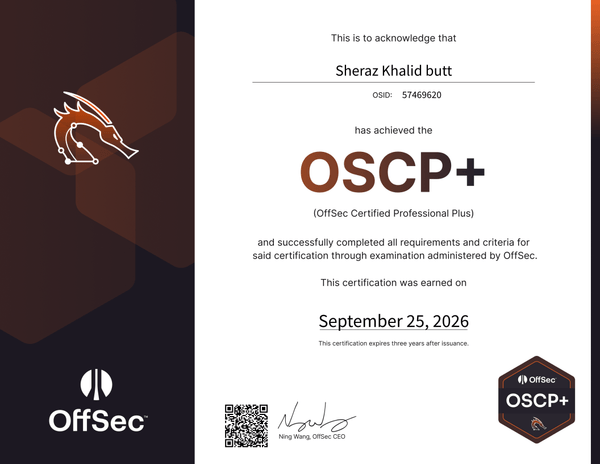
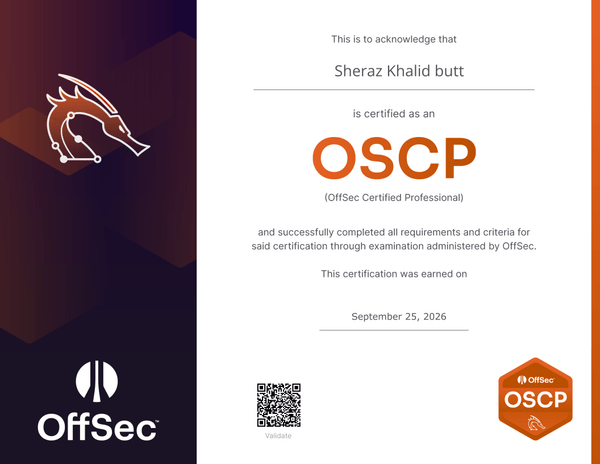
I went to sleep. When I woke up I learned that the result actually shows on your portal before the confirmation email even arrives. I logged in, and there they were, my OSCP+ and OSCP badges sitting on the dashboard, telling me I had passed. There are very few feelings better than seeing that you cracked OSCP+ on your first attempt. The official email followed on the night of 25 September at 9:14pm. We are pleased to inform you that you have successfully completed the Penetration Testing with Kali Linux (PWK) certification. That was less than 24 hours after I submitted my report, which made the wait far kinder than the horror stories had led me to expect.
What I would tell you if you are starting today
You have probably heard the old story about Julius Caesar. During his triumphs, he supposedly kept a servant beside him whose only job was to lean in and whisper, you are just a man. A reminder to stay grounded when everything around him felt larger than life. Do the same thing for yourself in that exam. When the pressure builds and the demons start talking, whisper back: it is just an exam, it is just an exam.
I did not follow a huge pile of resources, just the few I listed earlier in this post. So I cannot hand you the perfect list. What I can give you is how to prepare, and this holds no matter which path you take:
- Build your own note taking habit. Write down the small things you swear you will remember. During the exam you will barely remember your own name, so if it is not written down, it does not exist.
- Take frequent breaks. Step away from the screen, even for five minutes. Almost every breakthrough I had came right after a break, not during an hour of staring.
- Track your time. Do not fall into a rabbit hole for more than 30 minutes. Set a clock for yourself and respect it, because your instinct under pressure will be to ignore it.
- Enumerate, enumerate, enumerate. Look everywhere. Read your tool output carefully. Try everything that looks even slightly suspicious and ask yourself why it is there and what its purpose is. Even if you root the first AD machine quickly like I did, still enumerate the next one properly from scratch.
- Look after yourself. Stay hydrated, eat properly and sleep well. Your brain is the only exploit that has to work for the full 24 hours.
And keep some perspective. At the end of the day it is just an exam. The machines are deliberately vulnerable, and there is often more than one way to root a box. If one path is dead, that usually means another one is open and you have not found it yet.
The tools I used
I did not lean heavily on tools. My first instinct is always to do things manually, or to automate as little as possible, because that is how you actually understand what is happening. That said, here are the ones I reached for most:
- nmap and rustscan for port scanning
- nxc (NetExec), which I used for almost all of my Active Directory enumeration
- BloodHound for mapping AD attack paths
- Ligolo for pivoting
- The PEAS suite (winPEAS and linPEAS) for privilege escalation vectors
- Greenshot for screenshots
- msfvenom for generating shells and payloads
- netcat for catching shells
- ffuf for directory and content brute forcing
- rockyou.txt and SecLists for wordlists
- hashcat and John the Ripper for cracking
That is pretty much it, the common ones. The important part is that I made sure I had a backup tool for the jobs that mattered, so if one failed on a box I was not stuck with nowhere to turn.
My honest take on OffSec and OSCP+
I have read a lot of mixed reviews about the course content, the OSCP+ exam, the exam environment, the support, all of it. So here is my own experience, for whatever it is worth.
The exam environment was flawless for me. My laptop is nothing special, 16 GB of RAM and an SSD, and my internet is not particularly strong either. Despite all that, the exam VPN worked just fine, the screen share held up, and nothing broke the entire time. I had braced myself for disconnections and technical issues based on what I had read, and none of it happened.
On the exam itself, my view is that OSCP+ is not really about the certification at the end. It is about preparing you for the field and the actual job. You can learn almost any technique from AI these days for as little as twenty dollars a month. What you cannot easily buy is the experience of performing under pressure, with a short time window, when your favourite tools fail and the intended path does not behave the way it is supposed to. What do you do in that moment? How do you still get the job done? And let us be honest, how well would any of us perform knowing there is 1750 dollars riding on it. That is what OSCP+ tests, and that is why it is more than just a certification.
As for the course material, I will be honest. It would have taught me a great deal if I had not already done so much preparation before buying it. Even so, it was more than good enough. It sharpened my notes, it showed me a few things with different tools than I was used to, and the labs and mock exam were a genuine help going into the real thing.
Thank you
None of this would have been possible without the people who share what they know for free. A genuine thank you to TJ Null and Lain for their lists, to Derron C and IppSec for their videos, to Tyler Ramsbey for HackSmarter and his streams, to Ryan Yager for the Active Directory course, to HackerBlueprint for the AD chains, and to the r/oscp community for the honest advice and the reality checks whenever the self doubt crept in. And to everyone else who has ever written a blog, recorded a walkthrough or posted a cheatsheet that helped someone they will never meet, thank you. You made this journey possible.
If you have any questions, feel free to reach out to me on LinkedIn. I am always happy to help where I can.
If you want to talk or give feedback, DM me on Linkedin Sheraz Khalid. Thanks for reading, see you in the next writeup.